
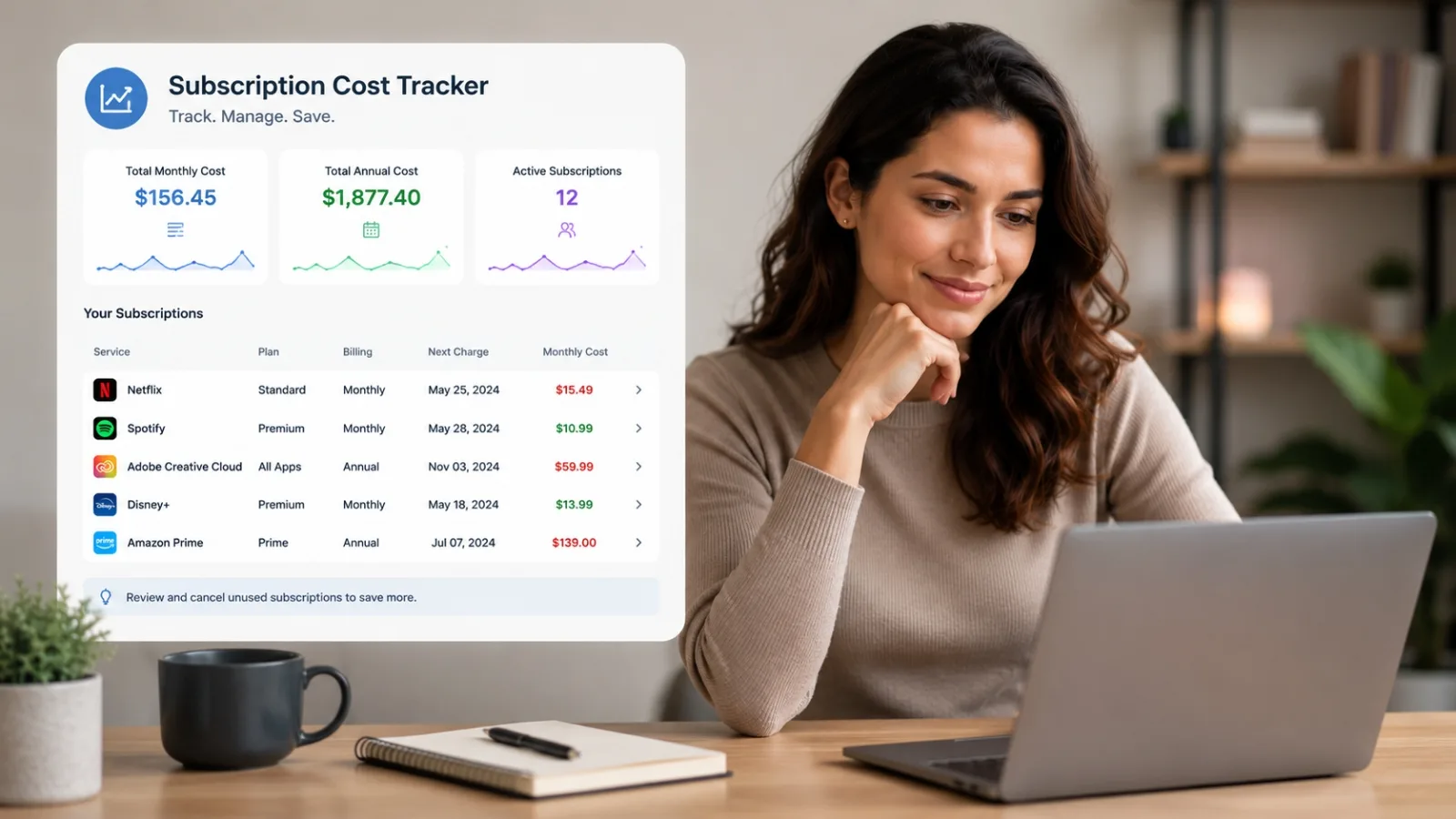
Subscription Cost Tracker
See exactly what you're paying each month. Most people discover they're spending $200+ on services they barely use. This tracker finds the waste in minutes, with no login or personal data saved.
$219
Average monthly subscription spend per US household
Source: C+R Research, 2023
40%
Of subscriptions go unused for 3 or more months before cancellation
Consumer survey data
$2,628
Average yearly total across all household subscriptions
Equivalent to a car payment or vacation
Calculate Your Subscription Spend
Enter each subscription you're paying for. Choose whether you're billed monthly or yearly, and tell us how often you actually use it. The tracker converts everything to a monthly equivalent and shows you exactly where your money is going.
Subscriptions You Might Have Forgotten
Most people overlook at least two or three subscriptions during a mental count. These categories are where forgotten services hide most often. Pull up your last three bank statements and scan for any of these names you don't immediately recognize.
| Category | Common Examples |
|---|---|
| Streaming | Netflix, Hulu, Disney+, Peacock, Paramount+, Max, Apple TV+ |
| Music | Spotify, Apple Music, Tidal, Amazon Music |
| Cloud storage | iCloud, Google One, Dropbox, OneDrive |
| Software | Adobe, Microsoft 365, Grammarly, antivirus apps |
| Fitness | Peloton, MyFitnessPal, Nike Training, gym memberships |
| News and content | New York Times, Washington Post, Substack newsletters |
| Gaming | Xbox Game Pass, PlayStation Plus, Nintendo Switch Online |
| E-commerce memberships | Amazon Prime, Walmart+, Instacart+, Shipt |
| Productivity tools | Notion, Todoist, 1Password, Dashlane |
| Food delivery | DoorDash DashPass, Grubhub+, Uber One |
Before You Cancel: Alternatives Worth Trying
Not every subscription deserves a cold cancellation. Sometimes a simpler step saves you money without losing access entirely.
Many services offer multiple pricing tiers. Before cancelling Netflix, Spotify, or Adobe, check if a lower plan still covers your needs. Dropping from a premium to a standard tier often costs half as much while keeping core features.
Most streaming services, fitness apps, and productivity tools now offer a pause option, typically for 1 to 3 months. Pausing is smarter than cancelling if you think you'll return soon. When you resubscribe later, you won't lose your settings or original price lock.
Reach out directly. For services you've used for years, especially cable, internet, or streaming bundles, a cancellation threat often triggers a retention offer. One five-minute call can sometimes drop your annual bill by 20 to 30%.
Annual vs Monthly Billing: Which One Saves You Money?
Services often offer a discount for paying annually instead of month-to-month. The savings sound attractive at 20% off, but the math requires a second look.
Real example: Streaming service at $12.99/month
- Monthly plan: $12.99 × 12 = $155.88/year
- Annual plan (20% discount): $124.70 upfront
- Savings: $31.18
That $31 savings looks good until you consider the risk. Annual billing locks you in for twelve months. If you cancel in month three, you've paid $124.70 for three months of access, which works out to nearly $42 per month instead of $12.99. You only come out ahead if you stay subscribed for the full year.
Use annual billing when you're absolutely certain you'll keep the service. Streaming platforms you watch monthly, software you rely on daily, and cloud storage you need long-term are good candidates. Skip annual billing for experimental services, fitness apps you're trying, or anything you might use sporadically.
How to Cancel Any Subscription
Services intentionally bury the cancel button. Here's the path that works across most platforms. Follow these steps and you'll avoid the common traps designed to keep you signed up.
Log in to your account
Go to the service website directly. Do not rely on the app for cancellation. Some services make it easier on desktop.
Find Manage Plan or Account Settings
Look for billing, subscription, or membership settings. It may be hidden under a user profile menu.
Select Cancel Subscription
Services often show a retention offer before the cancel button, offering a discount to stay. Only accept it if you genuinely want to keep using the service.
Request a cancellation confirmation email
Don't leave the page without a confirmation. If no email arrives within a few minutes, check your spam folder or contact support.
Verify on your next billing statement
Check your bank or card statement on the date billing would have occurred. If you still see a charge, you have written proof of the cancellation to dispute it.
Why Subscription Spending Gets Out of Hand
Subscription pricing works because small recurring amounts feel painless. A $12.99 monthly charge barely registers on a bank statement, but twelve of them add up to $155.88 per month, which is nearly $1,900 per year. The model is specifically designed to be easy to forget.
Annual billing makes it worse. When you pay $99 once a year for a service, the effective monthly cost of $8.25 disappears from your awareness almost entirely. You don't see it renew month after month, so it never triggers a review.
Free trials are the third factor. Most trials require a credit card upfront. When the trial ends, billing starts automatically. Services count on a percentage of trial users forgetting to cancel, and it's built into the business model.
The psychology of low prices and hidden friction
Services use a tactic called anchor pricing: "$1 for the first three months." Your brain locks onto $1, not the $12.99 monthly price that follows. When the charge jumps, you're already emotionally invested in the service. By then, you might not even remember you're paying for it.
Cancellation pages are designed with "dark patterns" that make cancellation harder than keeping the subscription. You might find a "pause" button but no "cancel" button. You might be asked to enter a reason for leaving, then offered a discount before finally reaching the cancel confirmation. These delays work. People give up partway through.
The solution is brutal honesty: if you're not actively using something, cancel it immediately. Don't wait for the quarterly audit. Don't convince yourself you'll use it "eventually." That $12.99 adds up faster than you think.
- •Charges on a date you don't recognise
- •Small amounts under $15 billed monthly
- •A service you signed up for once "just to try it"
- •Apps you deleted but never cancelled
- •Download 3 months of bank statements
- •Highlight every recurring charge
- •Search each one if you don't recognise it
- •Cancel anything unused in the last 6 weeks
Got Questions?
Frequently Asked Questions
Common questions about tracking subscriptions and reducing monthly spend.
Ready to cancel something?
Our cancellation guides walk you through the exact steps for hundreds of services.