
Canceling ChatGPT Plus takes about a minute if you know where to look. The steps depend on how you originally signed up: through the ChatGPT website, the iOS App Store, or Google Play. This guide walks you through each path and covers what happens to your access after you cancel.
Before You Start
Check how you originally subscribed. If you paid through Apple or Google, you can't cancel from the ChatGPT website. You have to cancel in the store where the subscription was purchased.
Also know that OpenAI does not issue prorated refunds when you cancel mid-cycle. Your Plus access continues until the end of your current billing period.
Cancel ChatGPT Plus on the Web (chatgpt.com)
If you signed up directly on the ChatGPT website using a credit card, follow these steps:
- Go to chatgpt.com and log in to your account.
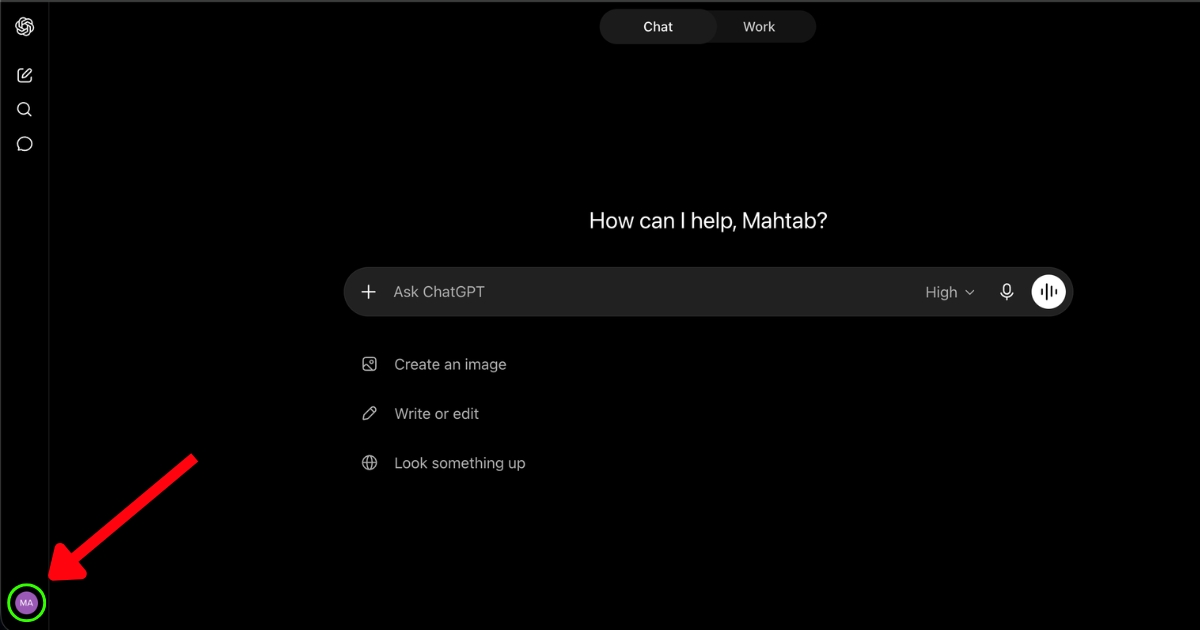
- Click your profile icon in the bottom-left (or top-right, depending on layout).
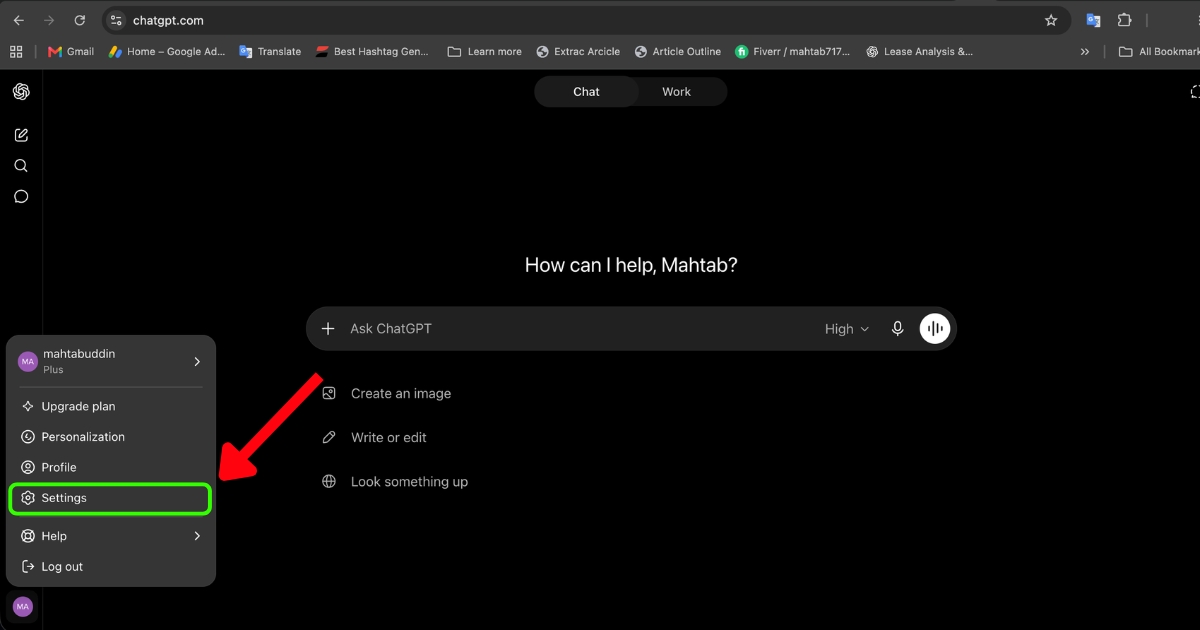
- Select Settings.
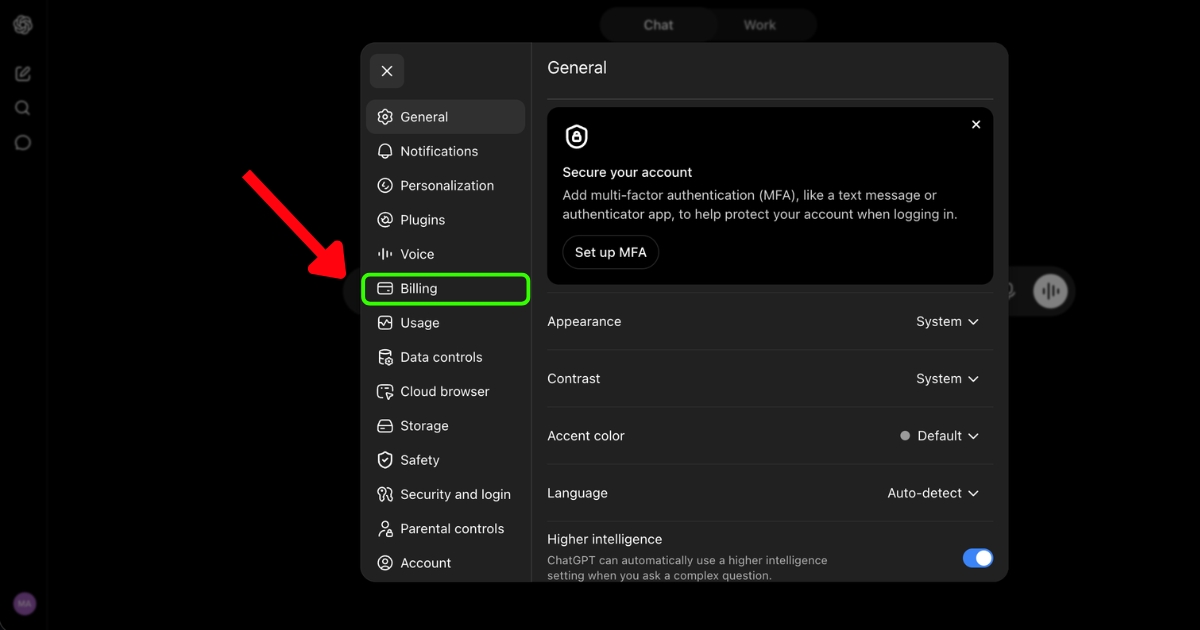
- Select Billing.
- Under Cancel plan, click Cancel.
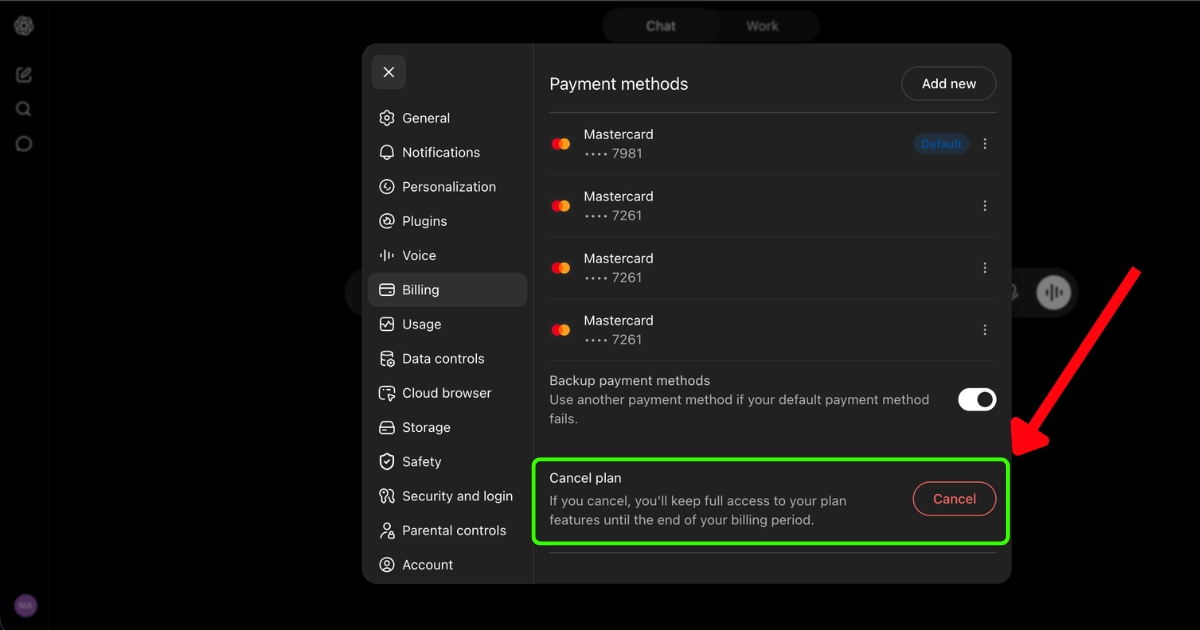
- Confirm the cancellation on the next screen.
You should see a confirmation that your subscription will end on your next billing date. Keep that email or screenshot in case you need proof later.
Cancel ChatGPT Plus on iPhone or iPad
If you subscribed through the App Store, the cancel option won't appear inside ChatGPT. Cancel through iOS instead:
- Open the Settings app on your iPhone or iPad.
- Tap your name at the top.
- Tap Subscriptions.
- Select ChatGPT from the list.
- Tap Cancel Subscription and confirm.
Apple's full instructions are on the Apple Support site if you get stuck.
Cancel ChatGPT Plus on Android
If you subscribed through Google Play:
- Open the Google Play Store app.
- Tap your profile icon in the top-right.
- Tap Payments & subscriptions, then Subscriptions.
- Select ChatGPT.
- Tap Cancel subscription and follow the prompts.
Canceling a ChatGPT Business or Team Subscription
Business and Team plans cancel from workspace settings, not personal settings:
- Log in to ChatGPT.
- Click your profile icon and select Workspace settings.
- Go to the Billing tab.
- Open the Manage plan dropdown.
- Click Cancel subscription.
Only workspace owners or admins can cancel. If you're a member, you'll need to ask an admin.
Track your trial deadline and cancel before you get charged.
What Happens After You Cancel
Your ChatGPT Plus features stay active until the end of your paid billing cycle. After that date, your account reverts to the free tier automatically. You keep your chat history, custom GPTs you've built, and account settings.
If you don't see a confirmation email within a few minutes, check spam. No email usually means the cancellation didn't go through.
Refund Policy
OpenAI's standard policy is no refunds for partial months. That said, if you were charged unexpectedly or believe you're owed a refund, you can request one through the OpenAI Help Center by using the chat bubble in the bottom-right corner. Some users have reported success getting a refund for a charge that happened within the last day or two, especially if they forgot to cancel a trial.
For App Store purchases, request refunds through reportaproblem.apple.com. For Google Play, use the Google Play refund request form.
Common Problems
"Cancel" button is missing or grayed out. You probably subscribed through Apple or Google. Cancel in the corresponding app store instead.
You're being charged after canceling. Confirm the cancellation date on your billing page. If the charge came after that date, contact OpenAI support through the help center.
You cancelled but still see Plus features. That's normal until your current billing period ends. The downgrade happens automatically on the renewal date.
Can't log in to cancel. Reset your password at chatgpt.com first. If you've lost access to your email, contact OpenAI support with proof of the payment (last 4 digits of the card, charge date, amount).
Alternatives Before You Cancel
If cost is the issue, the free plan gives you access to GPT-4o with limits. You can also downgrade a Team plan to fewer seats instead of canceling entirely. If you're paying for features you rarely use, consider canceling now and resubscribing only in months you need it. There's no penalty for coming back.



