Netflix doesn't offer refunds automatically, but their customer service team can and often does issue them for accidental charges, forgotten cancellations, and billing mistakes. The trick is knowing how to ask and what to say. This guide walks you through the exact process.
Before You Start
Make sure you have your account email and the last four digits of the payment method on file. If the charge came from Apple, Google Play, Roku, or your cable provider, you'll need to request the refund through them instead of Netflix directly.
Check your billing history first at netflix.com/YourAccount under Billing details. Confirm the date and amount of the charge you want refunded.
Step-by-Step: Request a Refund from Netflix
- Sign in to your account at netflix.com.
- Go to netflix.com/contactus to reach the help center.
- Choose Start Live Chat or Call Us. Live chat is usually faster and gives you a written transcript.
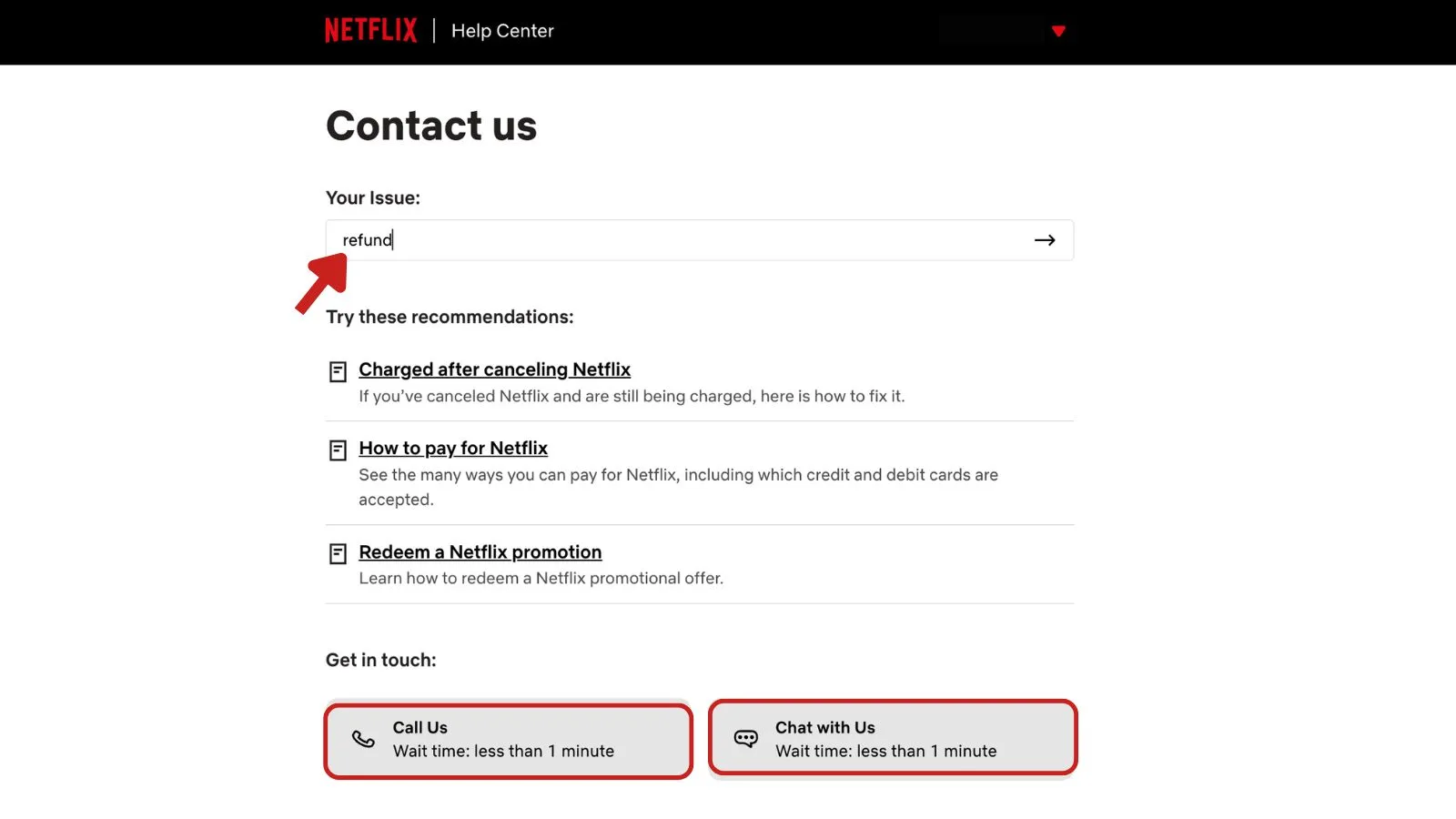
- Tell the agent you want a refund and explain the reason (forgot to cancel, didn't use the service, accidental renewal, duplicate charge, etc.).
- Ask them to cancel your subscription at the same time if you no longer want the service. If you need help with that part, see our Netflix cancellation guide.
- Confirm the refund amount and expected timeline before ending the chat. Save the transcript.
Check whether your purchase is still within the return window.
When Netflix Will Refund You
Netflix's official policy says charges are non-refundable and they don't provide refunds or credits for partially used periods. In practice, though, agents have discretion and regularly issue goodwill refunds. Your odds are best in these situations:
| Situation | Refund Likelihood |
|---|---|
| Charged after you thought you cancelled | High |
| Duplicate or double charge | Very high |
| Account was hacked and used by someone else | High |
| Didn't use the service for the full billing period | Medium |
| Just changed your mind mid-cycle | Low to medium |
| Subscribed through Apple/Google/Roku | Must contact that platform |
If you were billed within the last 24 hours and cancelled immediately, mention that specifically. Agents are more likely to refund a very recent charge.
Refunds for Third-Party Billing
If Netflix shows up on your Apple, Google, Roku, Amazon, or cable bill, Netflix can't refund you directly. Here's where to go instead:
- Apple/iTunes: reportaproblem.apple.com
- Google Play: play.google.com/store/account/subscriptions
- Roku: Contact Roku billing support
- Amazon: Your Amazon account under Memberships & Subscriptions
- Cable/Mobile carrier: Call the provider that bills you
Email Template for a Netflix Refund Request
If you'd rather contact Netflix in writing (through the chat transcript email or a follow-up), use this template:
Subject: Refund Request for Recent Netflix Charge

Hello Netflix Support,

Account email: [your email]
Last 4 digits of card: [XXXX]
Charge date: [MM/DD/YYYY]
Charge amount: [$XX.XX]

I'm writing to request a refund for the charge listed above.
[Briefly explain: e.g., "I intended to cancel before the renewal date but was charged for another month I won't use," or "I was billed twice for the same month."]

I have already cancelled my subscription / please cancel my subscription as part of this request.

Please refund the amount to my original payment method and confirm when the refund has been issued.

Thank you,
[Your name]
Keep it short and factual. Agents respond faster to clear requests than long explanations.
Tips to Improve Your Chances
- Be polite but direct. Say the word "refund" early in the conversation.
- Ask once, escalate if needed. If the first agent declines, politely ask to speak with a supervisor.
- Cancel first, then ask. Cancelling before requesting a refund shows you're not trying to keep the service for free.
- Reference the exact charge. Give the date and amount so the agent doesn't have to hunt for it.
- Screenshot everything. Save the chat transcript and any confirmation email.
How Long the Refund Takes
Once approved, refunds typically post back to your card within 7 to 10 business days. PayPal refunds are often faster (1–3 days). If it's been longer than two weeks, contact Netflix again with your case number, or dispute the charge with your bank.
Only use a chargeback as a last resort. Netflix may suspend your account permanently if you dispute a charge without contacting them first.